Documentation
Connecting your TV or app
Xtream login details, M3U export and network tips.
Once your lineup looks right, point your TV app at Sift. There are two ways: log in with Xtream Codes (best, because the guide and later edits come along automatically), or load an M3U playlist file.
Option 1: Xtream Codes login (recommended)
Press Connect in the top bar of the editor.
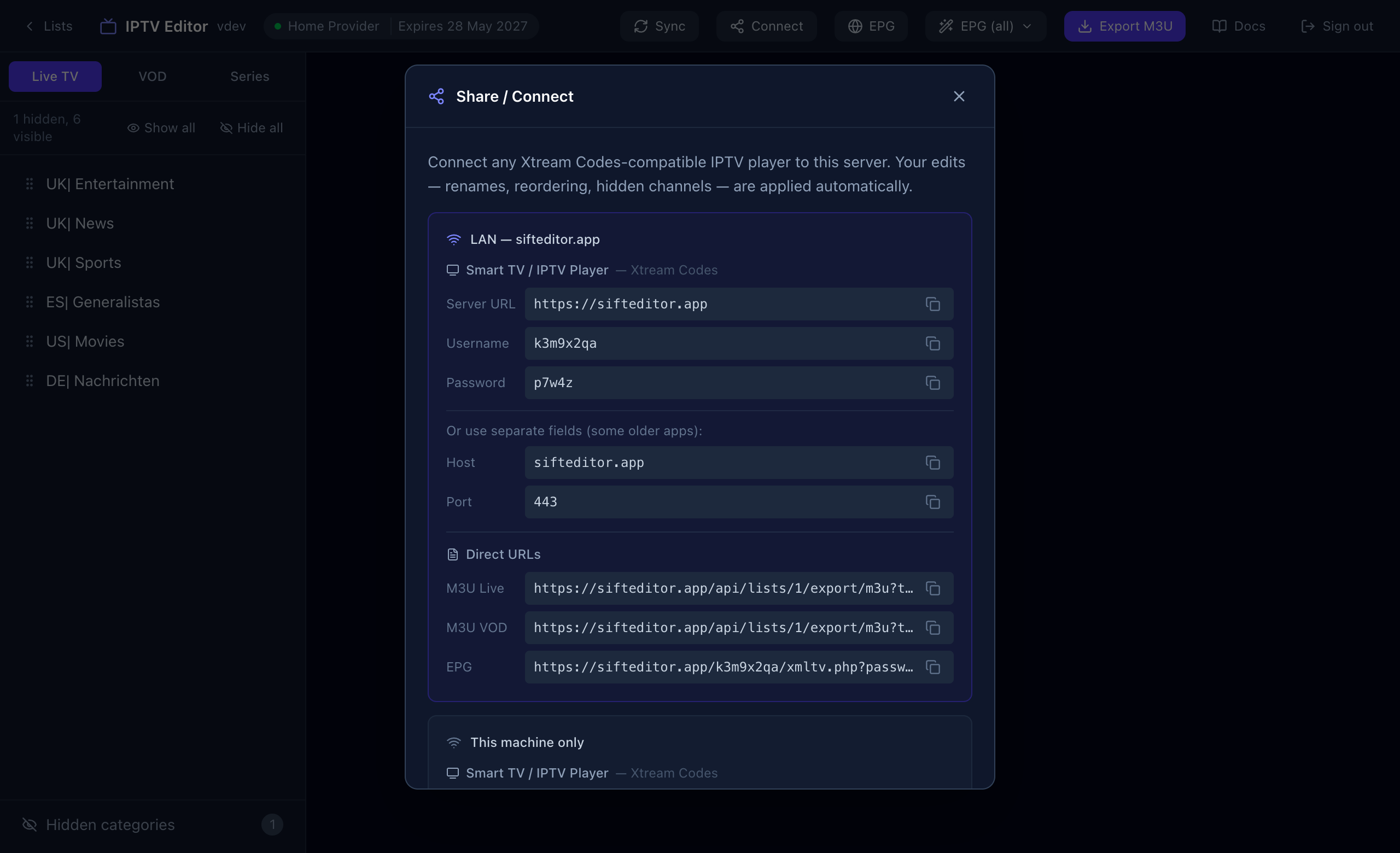
| Field | What to enter in your app |
|---|---|
| Server URL | The full address, including the port when there is one, for example https://sifteditor.app. |
| Username | The username shown here. It belongs to Sift, not to your provider. |
| Password | The password shown here. Again this is Sift’s, not the provider’s. |
| Host and Port | Only for older apps that ask for them in separate fields. |
Step by step
- In your TV app, add a new playlist or account and choose Xtream Codes (sometimes called “Xtream login” or “Xtream API”).
- Enter the Server URL, the username and the password from the Connect window.
- Let the app load. It sees your renamed channels in your order, without the categories and channels you hid.
Apps that work with this include TiVimate, IPTV Smarters and any other player that supports Xtream Codes.
Which address do I use?
Use the Server URL shown in the Connect window. It is a public address, so it works from any network, at home or away.
The guide in your app
With an Xtream login, the app asks Sift for the guide automatically. If your app wants the guide address separately, use the EPG link listed under Direct URLs in the same window.
Option 2: M3U playlist
For apps that only accept a playlist, Sift can produce an M3U file of your edited lineup. There are two ways.
Download a file
Choose a tab (Live TV, VOD or Series) and press Export M3U. The file contains that tab’s channels in your order with your names, and leaves out hidden categories and channels. Each entry carries its guide ID, logo and category.
Use a link
Under Direct URLs in the Connect window you can copy links for M3U Live, M3U VOD and EPG. Give one to an app that can load a playlist from a web address, and it will reflect your latest edits whenever it reloads.
Does video go through Sift?
No. When you press play, Sift redirects your app to the provider’s stream, so playback speed is the same as using the provider directly. It also means that if your provider blocks your connection or limits simultaneous streams, those limits still apply.
Something not working? See Troubleshooting.