Documentation
How to fix a missing or wrong IPTV TV guide
Load an XMLTV source, auto-match channels to the guide and fix the ones that are still empty or wrong.
If your IPTV app shows an empty or wrong programme guide, the usual cause is that the channels are not linked to the right guide data. The guide uses an ID per channel (the tvg-id), and the provider’s IDs are often missing or do not match the guide source. Sift lets you load a guide source and links channels to it automatically.
1. Load a guide source
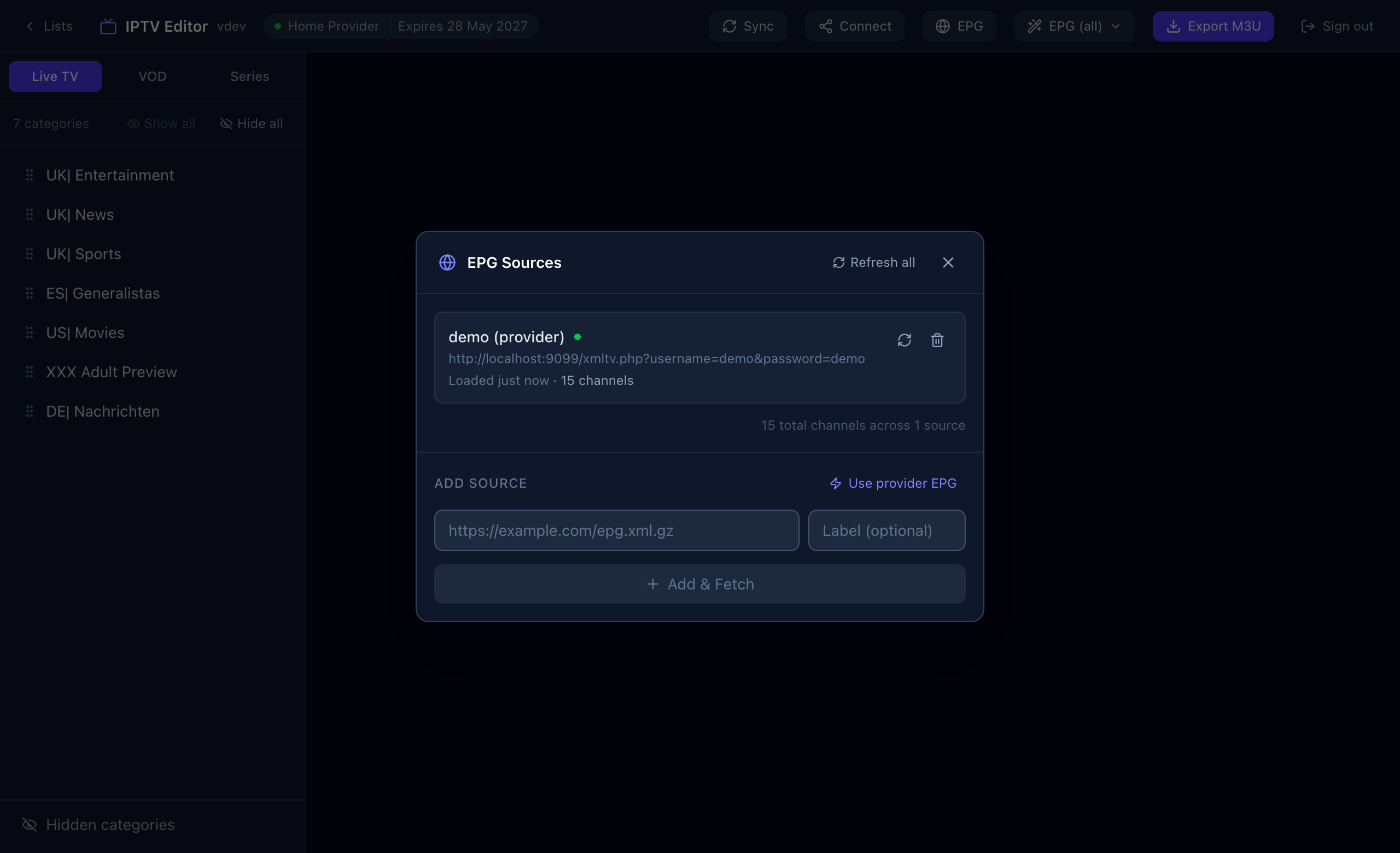
- Press EPG in the top bar.
- Press Use provider EPG, or paste your own XMLTV address (compressed
.xml.gzfeeds work) and press Add & Fetch. - Check that the source shows a channel count. If many channels stay unmatched later, add a second source.
2. Match channels to the guide
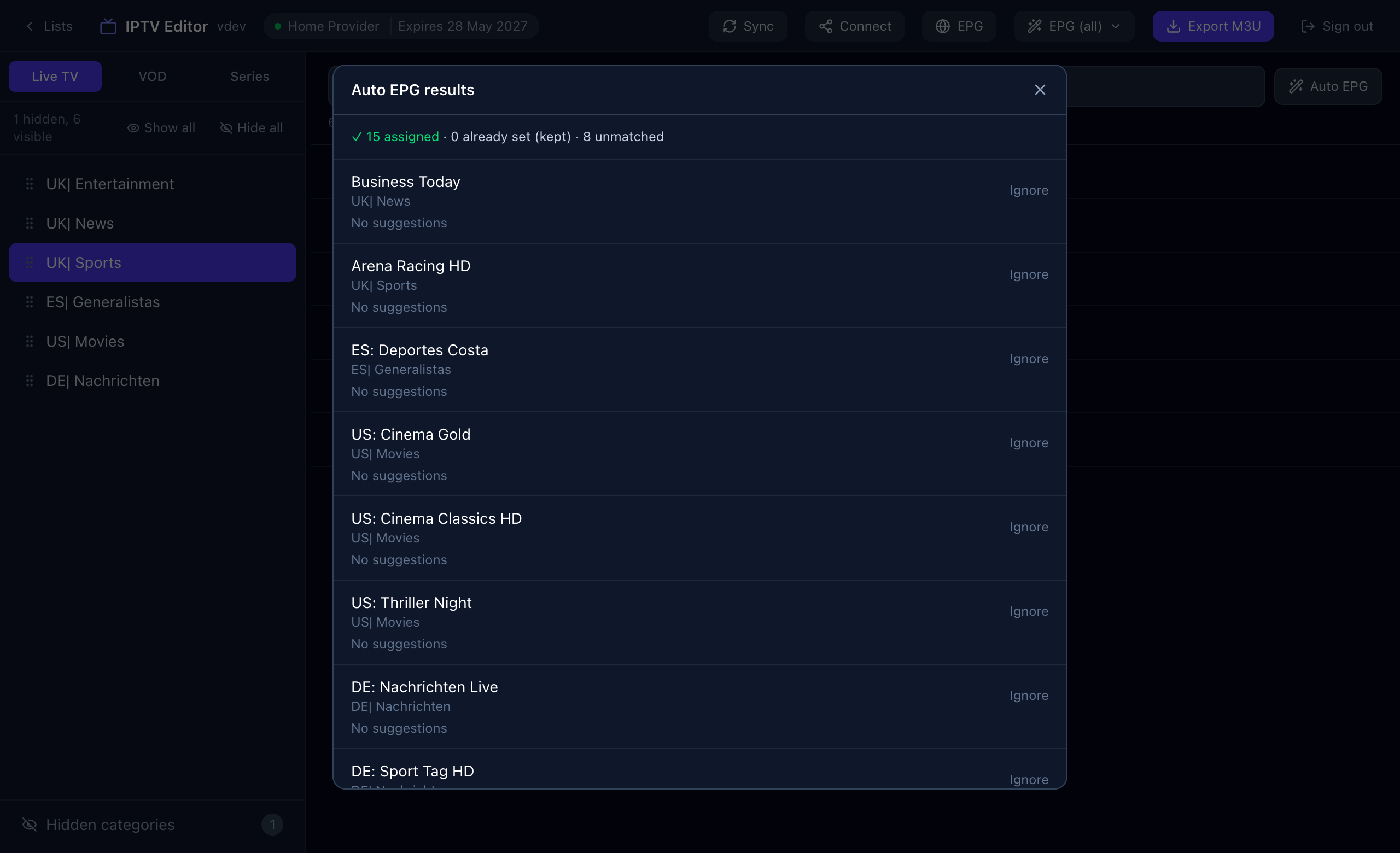
- Choose EPG (all) → Assign EPGs. Sift matches every visible Live channel and keeps any ID that is already set.
- Read the summary: assigned, already set and unmatched.
- For unmatched channels, pick a suggestion or press Ignore if the guide simply does not cover that channel.
3. Check one channel
Press the guide icon on a channel. The panel shows the assigned ID and what is on now and next, a quick way to see whether the match is right. You can search your loaded guide there and pick a different channel by hand.
Common reasons a guide is wrong or empty
| Symptom | Likely cause | What to do |
|---|---|---|
| No guide for any channel | No source loaded, or the source failed to load. | Open EPG, check the status dot, reload the source. |
| Guide for some channels only | The source does not carry every channel. | Add a second XMLTV source and run Assign EPGs again. |
| Wrong country’s schedule | The category name carries no country prefix, so Sift cannot tell which one to prefer. | Rename the category with a prefix such as “UK|”, or pick the ID by hand. |
| Numbered siblings mixed up | Provider naming differs from the guide. | Sift never matches “Sports 12” to “Sports 13”; fix the odd one by hand. |
| Guide shows in Sift but not in the TV app | The app has not reloaded the guide. | Refresh the playlist or guide in the app. |