Documentation
Use Xtream Codes with TiVimate and IPTV Smarters
Log in to TiVimate, IPTV Smarters or any Xtream Codes player with your edited Sift lineup and TV guide.
TiVimate, IPTV Smarters and most other IPTV players can log in with Xtream Codes: a server URL, a username and a password. Sift gives every list its own set of these, so you point the app at Sift, and the app then shows your renamed, reordered and filtered lineup together with the TV guide.
Get the login details
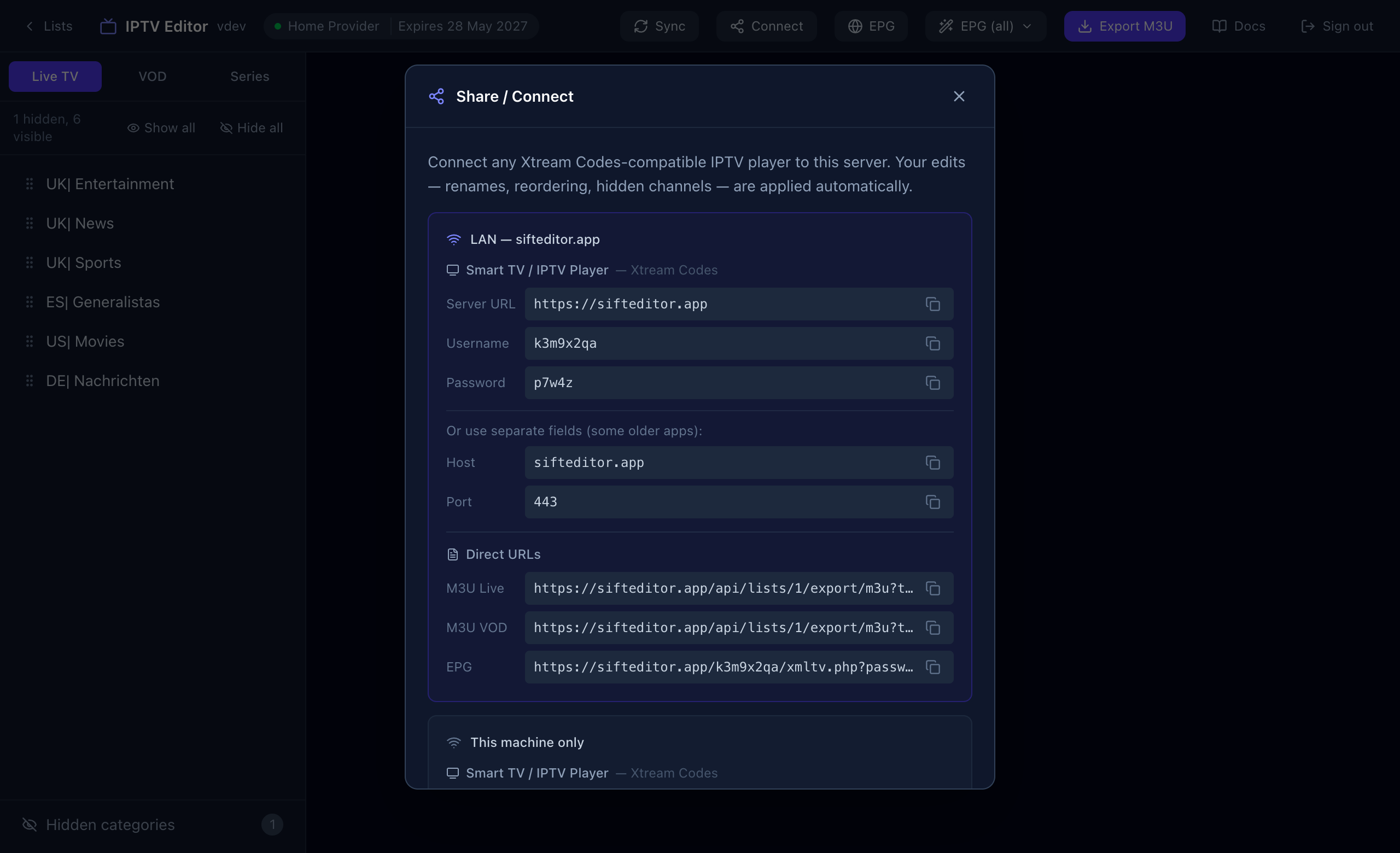
- Open your list in Sift and press Connect in the top bar.
- Note the Server URL, Username and Password. The buttons next to each field copy them.
TiVimate
- Add a new playlist and choose Xtream Codes as the type.
- Enter the Server URL, username and password from Sift.
- Let the app load. The guide comes along automatically.
IPTV Smarters
- Choose the Xtream Codes API login option.
- Give the profile any name, then enter the username, password and Server URL from Sift.
- Add the user and let it load.
Other apps
Any player that supports Xtream Codes works the same way: add an account, choose Xtream, and enter the same three values. If an app only takes a playlist file or link, use an M3U export instead.
Does my video pass through Sift?
No. Sift redirects your app to your provider’s stream, so playback is as fast as using the provider directly.
The app loads nothing, or logs in and shows an empty list
Check that the Server URL includes the port when there is one, that you are using Sift’s username and password, and that you did not hide every category. See Troubleshooting.