Documentation
How to rename IPTV channels
Retitle ugly IPTV channels and categories so your TV app shows clean names, without touching your provider.
IPTV providers often name channels in ways that are hard to read: prefixes like UK|, quality tags, stray punctuation or whole-line capitals. With Sift you can retitle any channel or category, and your TV app shows the new name. Nothing is changed at your provider, and the change is saved the moment you make it.
Rename a channel
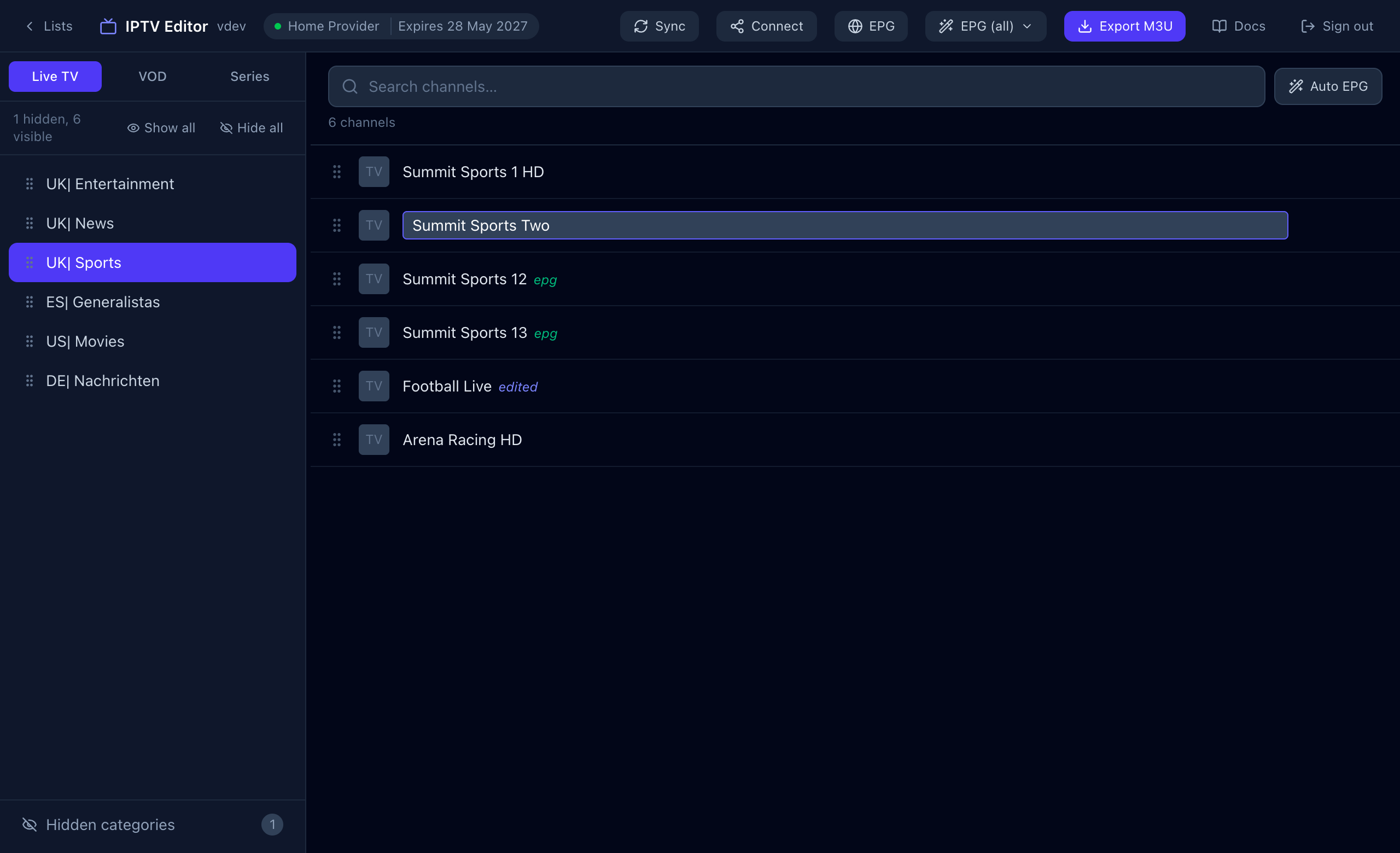
- Open your list in Sift and pick a category in the sidebar.
- Double-click the channel name, or hover the row and press the pencil.
- Type the new name and press Enter. Esc cancels.
Rename a category
- Hover the category in the sidebar and press the pencil.
- Type the new name and press Enter or the tick.
Undo a rename
Press the reset arrow on the channel’s row (Reset to default) to go back to the provider’s original name.
What you will see in your TV app
Your app reads the lineup from Sift, so renamed channels and categories appear with your names, in your order, the next time it loads the list. Use Sync in Sift whenever your provider adds channels. Your renames are kept, because they are tied to the provider’s channel IDs rather than to a position in the list.